Slot Vegas shop screen: what to check before funding
The Slot Vegas shop screen is where a quick tap can become a real spending decision. Before adding funds, slow down and check the price, wallet path and session limit on the same screen.
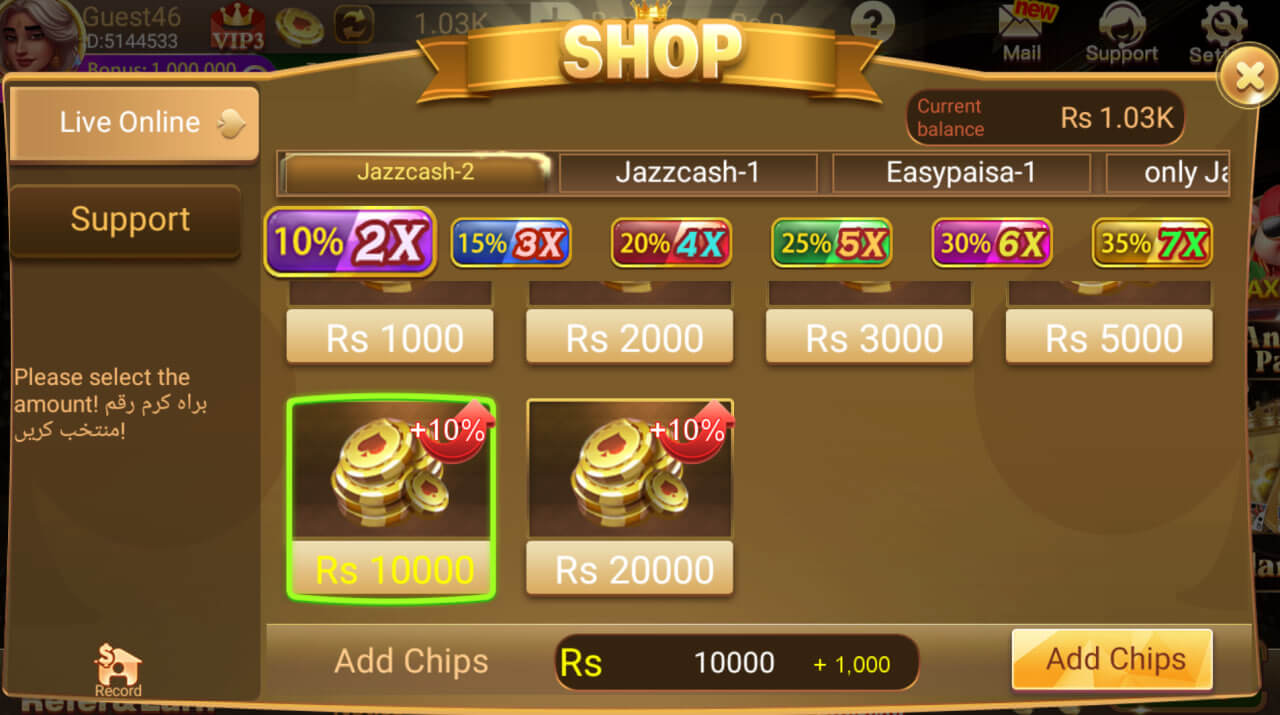
Check price and wallet path first
Start with the exact amount shown on the shop screen. If the number, bonus label or wallet route is unclear, do not continue. On Jazz or Zong data, a weak connection can leave a user unsure whether a tap was accepted.
For Easypaisa or JazzCash style payments, keep the payment app separate from the game account. Do not share wallet PINs, OTP codes or screenshots that expose a full account number.
Set the funding limit before the lobby
The shop is not the place to decide after a loss. Pick a maximum amount before opening Slot Vegas, then treat that as the full entertainment budget for the day. Cricket match nights and late-night sessions can make repeat top-ups feel normal; write the limit down first.
- Check the amount and currency label.
- Confirm you are using the expected account.
- Wait for a stable network before tapping.
- Stop if any screen asks for private login control.
Use the lobby page as a map
If you are still learning the app layout, compare the shop with the Slot Vegas lobby screenshots. For reward banners that mention funding, read the City Events page and avoid adding funds just to chase a temporary label.
18+ only. Funding decisions should stay within a fixed budget. Read the responsible gaming notes before increasing session size.